PRACTICAL GUIDE
How to keep a trading journal
A trading journal connects each trade to its context: what you planned, what you did and what you learned. Here is a simple routine to get started with Fillnovo.
- 1. Gather the facts
- 2. Record your decision
- 3. Review the outcome and the process
- 4. Schedule a regular review
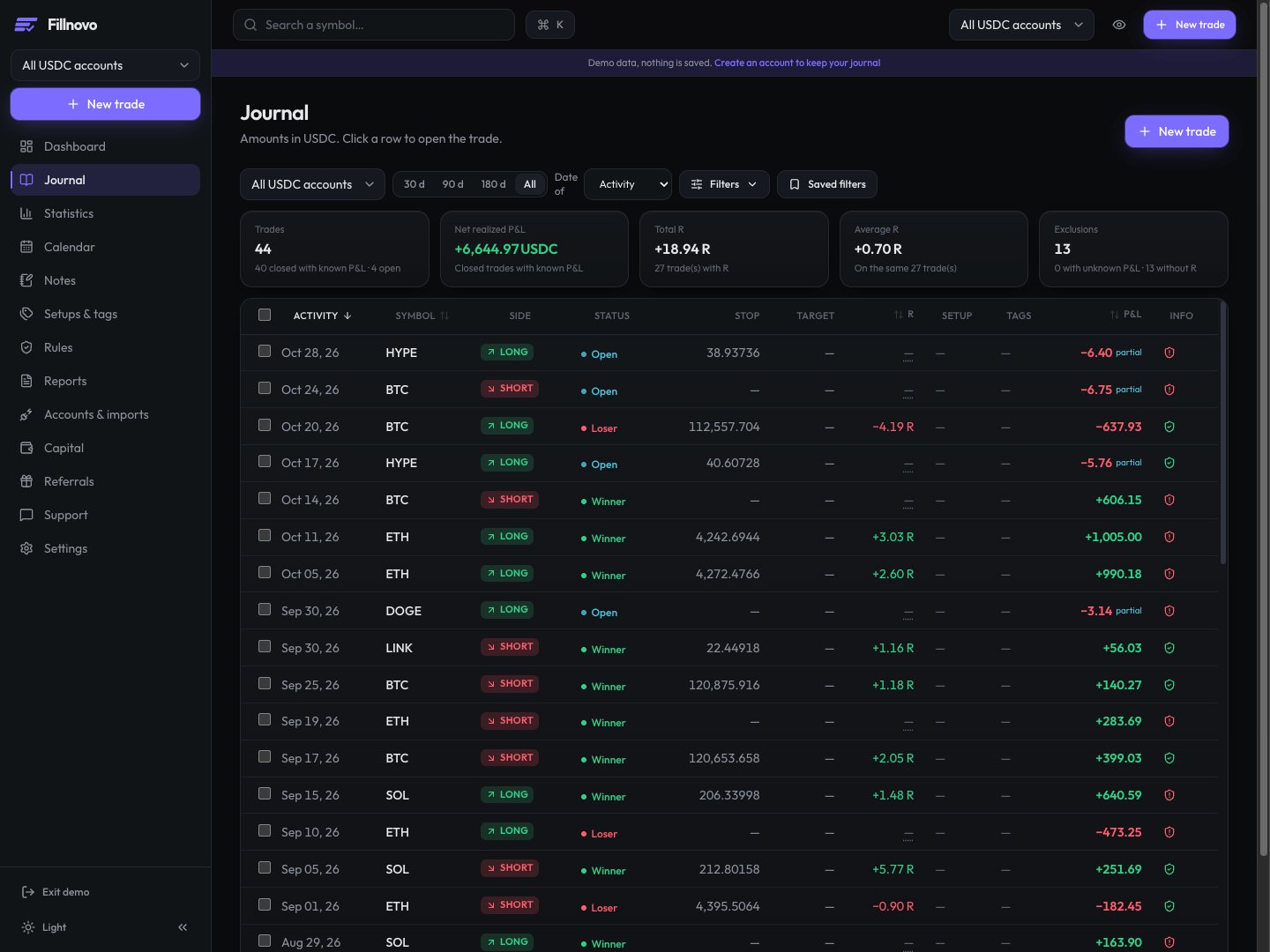
1. Gather the facts
Add trades manually, import a file or use a supported connection. Check dates, assets, quantities, prices and fees before reading the statistics. An incomplete history can give a misleading picture of your activity.
2. Record your decision
Attach a note to your trade: context, setup, reason for your decision and emotional state. A screenshot can complement the text. Distinguish what you planned before the trade from what you observe after it closes.
3. Review the outcome and the process
Review net P&L, win rate and the calendar over a defined period. Read your notes too: a positive outcome alone does not show that you followed your rules. A few trades cannot establish a lasting trend.
4. Schedule a regular review
Choose a time to review your journal. Identify a recurring habit, note something to check at your next review and keep your observations. You can export your data as CSV or JSON to use it elsewhere.
A reusable note template
- Before: what was the context and which rule did I plan to follow?
- After: did I follow that rule? Which facts support my observation?
- To review: which question should I examine at my next review?
Example note before and after a trade
- Before, fictional example: “Breakout setup. Wait for the candle to close above the marked level. I attach my screenshot and record the expected signal before deciding.”
- After: “Entry before the close: rule not followed, even though the trade won. Next review: did I record the signal before each entry?” Keep the original note and add this assessment separately.